BYD App Says "Weak Network Signal Around the Vehicle": What to Check and Who to Ask
If the BYD app shows "Weak network signal around the vehicle," it could not reach your car through its mobile connection. This short guide lists safe things to try and is open about what we could not confirm about the car's SIM and telco in the Philippines.
If the BYD app shows "Weak network signal around the vehicle. Please try again," the app could not reach your car through its mobile connection. This short guide lists what you can safely try, and is open about what we could not confirm about the car's SIM and telco in the Philippines.
Model scope: the screenshot that prompted this guide is from a Sealion 6. Steps may differ for other models. Features and wording vary by software version.
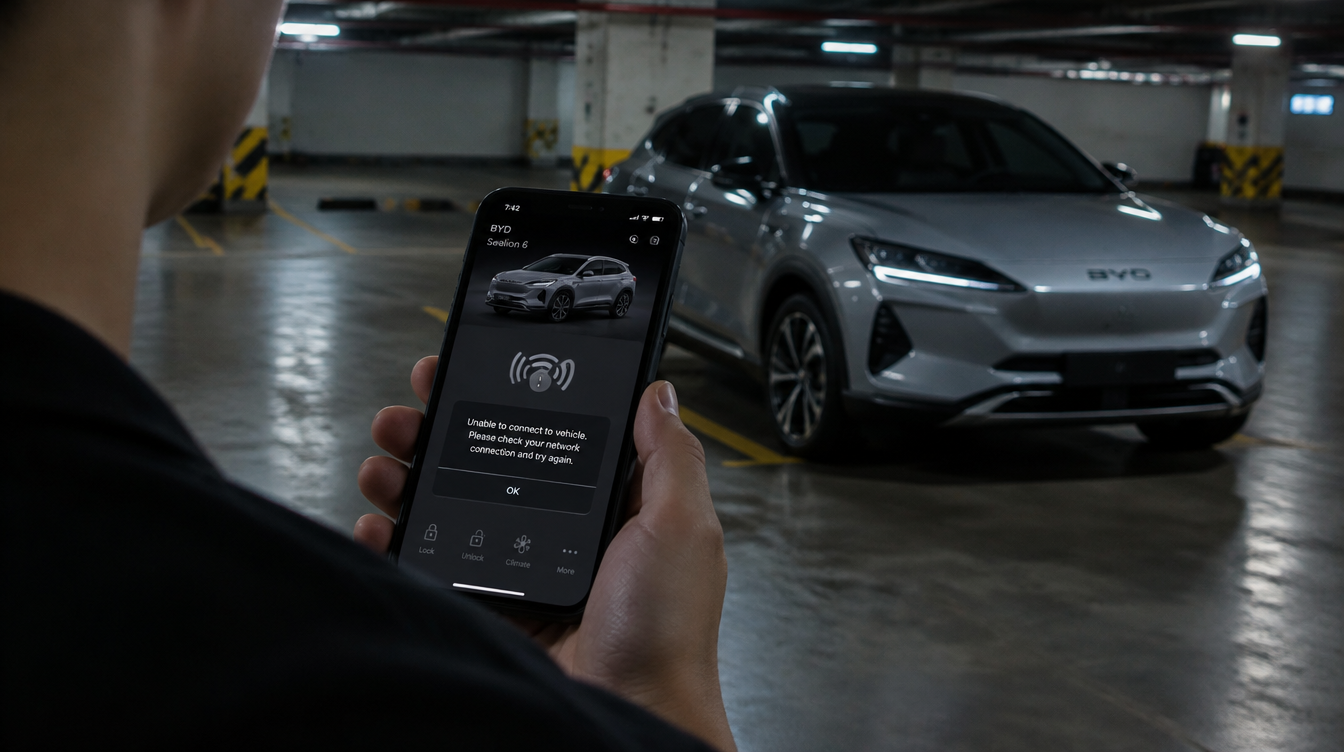
Illustration only. Actual vehicle appearance, features, and specifications may vary.
What the message means
The BYD app talks to the car through a cloud service. BYD Cars Philippines says the app works with the DiLink system, which supports Wi-Fi, Bluetooth and 4G, and that purchases include a free 10-year connected-services subscription (Autoindustriya, CarGuide). The message suggests the car was not reachable at that moment. It does not by itself tell you why.
What to try (general troubleshooting, not official BYD Philippines steps)
These suggestions come from a non-Philippine BYD guide, so treat them as general tips and ask your dealer if they do not apply.
- Check where the car is parked. Basements and underground car parks are known to cause weak connectivity. Try again after moving the car to a spot with better mobile signal, such as an open-air area.
- Let the car connect. Start the car, wait a few minutes, then turn it off and lock it. Wait a few minutes and try the app again.
- Restart the app. Force-close it, reopen it, and update it from your app store. Turn off any VPN on your phone and make sure your phone has working data.
- Log out and back in, or reinstall the app.
- Restart the infotainment screen only as your owner's manual describes.
- Check your account's services or subscription page in the app.
Illustration only. Actual vehicle appearance, features, and specifications may vary.
Do not open panels or look for the SIM or communication hardware yourself.
Who is BYD Philippines' telco, and can you switch?
We could not find a public statement naming a telco partner for BYD Cars Philippines, or saying whether the car uses a SIM or eSIM that an owner can change. The launch coverage we read does not name a telco and gives no data requirement. A general BYD guide for other markets says the car has a built-in SIM, but it does not say who provides it or whether it can be changed.
That is why we do not recommend alternative telcos. We cannot confirm that the connection can be moved, and changing hardware may affect your service or warranty. Please ask your dealer or BYD Cars Philippines in writing:
- Which network does my car's connected service use in the Philippines?
- Is a SIM or eSIM installed, and can an owner or the dealer change it?
- Would changing it affect the 10-year connected-services subscription or my warranty?
- Is there a known coverage problem at my area or parking?
Community reports
We did not access owner groups for this article, so it uses no owner reports. If you have a verified owner experience to add, an editor can include it, clearly labelled as one person's experience.
Where to learn more
- Autoindustriya: BYD App launched in PH with 10-year free subscription
- CarGuide: BYD app launched in the Philippines
- Manila Bulletin: BYD lets you check on your car with your phone
- BYD app troubleshooting (non-PH guide)
- BYD software and app guide (non-PH guide)
BYDPH.org is independent and not affiliated with BYD. This article is general information, not official support. Last checked: 4 November 2026.
Please read this as one informed perspective, not the final word. This article shares community research and experience. It may be incomplete or out of date, and it is not official guidance from BYD or its distributors. Before you act on it, check your owner's manual or an authorized service center, especially on safety, warranty and high-voltage matters.